Export your Google Calendar to Excel - Time sheets - Time reports - Project reports

GTimeReport
Login to your Google Account
Login with Google Docs activated
  • Home
  • Instructions
  • Reviews
  • About
  • Feedback
Tweet

Time Reporting made easy!

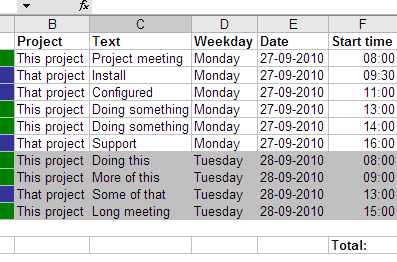
The easiest way of time reporting

GTimeReport creates time sheets from your Google Calendar. It supports multiple calendars and helps you with time calculation, task merging and spreadsheet export.

You can work with existing data

If you already have work documented in one or more calendars, you are 4 clicks away from your first time report.

Use your favorite tools

GTimeReport exports your time reports to Excel and Google Docs making it easy for you to work with your favourite tools when creating your invoices.

No signup, no costs

GTimeReport doesn’t cost you anything. It doesn’t even require you to sign up. All you need is your Google account.

Login to your Google Account (Only Calendar)

Login to your Google Account (Calendar and Docs)

How can GTimeReport help you?

GTimeReport works by taking away much of the repetitive work from creating reports. Depending on who you are GTimeReport can help you in several different ways with your time reports.

Read about features for Employees
Read about features for Consultants
Read about features for Supervisors
Read about Google Authentication


Translate this page
with Translate
Enable translation.
 
Follow the latest updates and development on twitter.
© 2010 www.gtimereport.com | Privacy policy | Disclaimer | About | Contact

